New in November: Setup Assistant, Balance Sheet, AI Connections
November 2026
This month's update makes Numeris Ledger faster to set up and gives you a fuller picture of your business: a setup assistant that walks new accounts through the basics, a Balance Sheet report, and AI connections, so you can work through flagged transactions from Claude or ChatGPT. Here's what's new.
Setup Assistant: Get Started in About Two Minutes
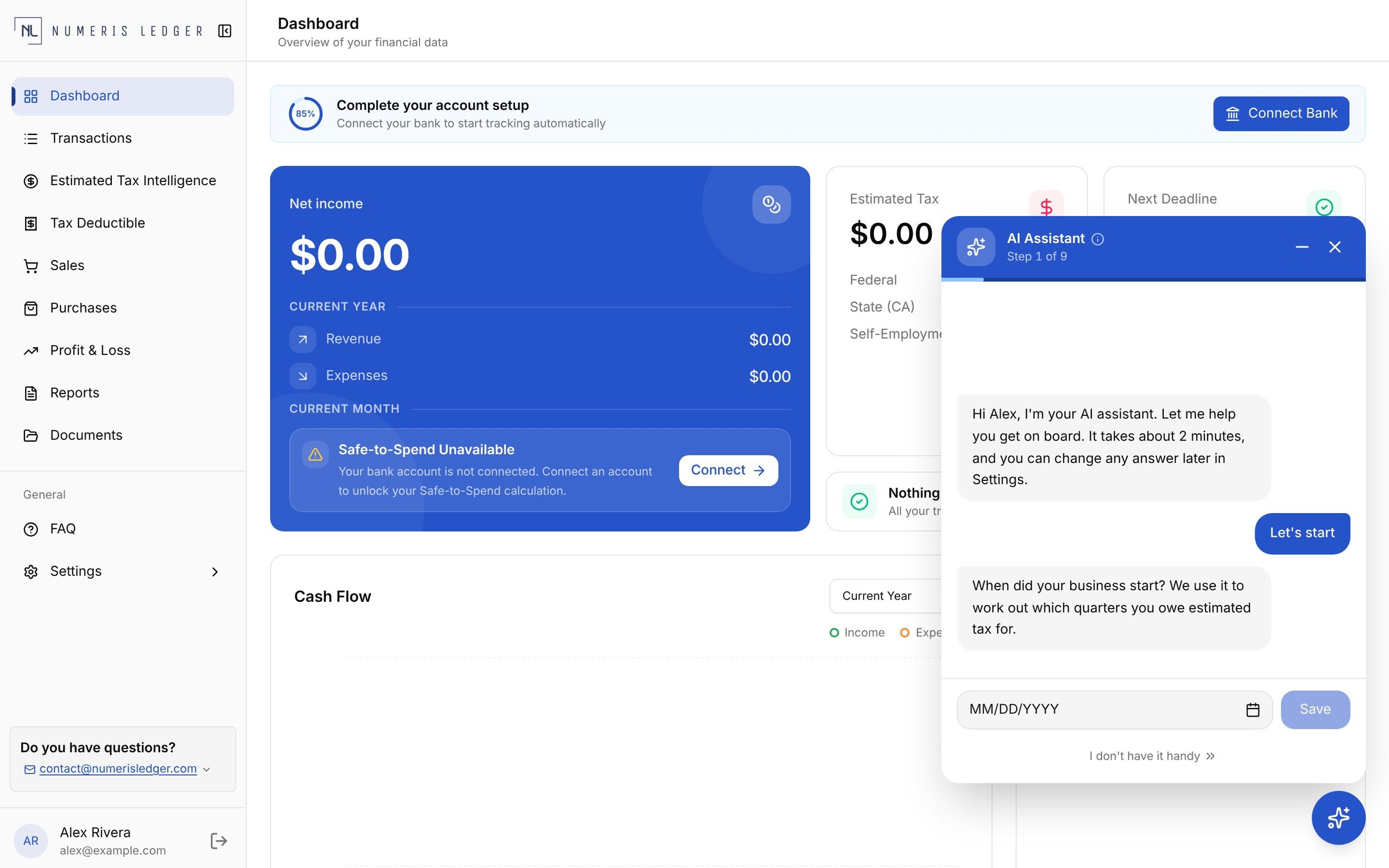
New accounts now get a guided setup assistant on the dashboard. It asks a few short questions, one at a time, and saves each answer to your account as you go:
- Business start date: used to work out which quarters you owe estimated tax for. Don't have it handy? Skip it, and we'll use January 1 until you update it
- Bank connection: link your bank so transactions start flowing in automatically
- Deductions you might miss: self-paid health insurance, retirement contributions, a home office, and vehicle use
- Invoicing: if you invoice clients, add your logo and billing address so your first invoice is ready to send
You can minimize the assistant and pick up where you left off, skip any question, and change any answer later in Settings. Which steps you see depends on your plan.
Balance Sheet Report
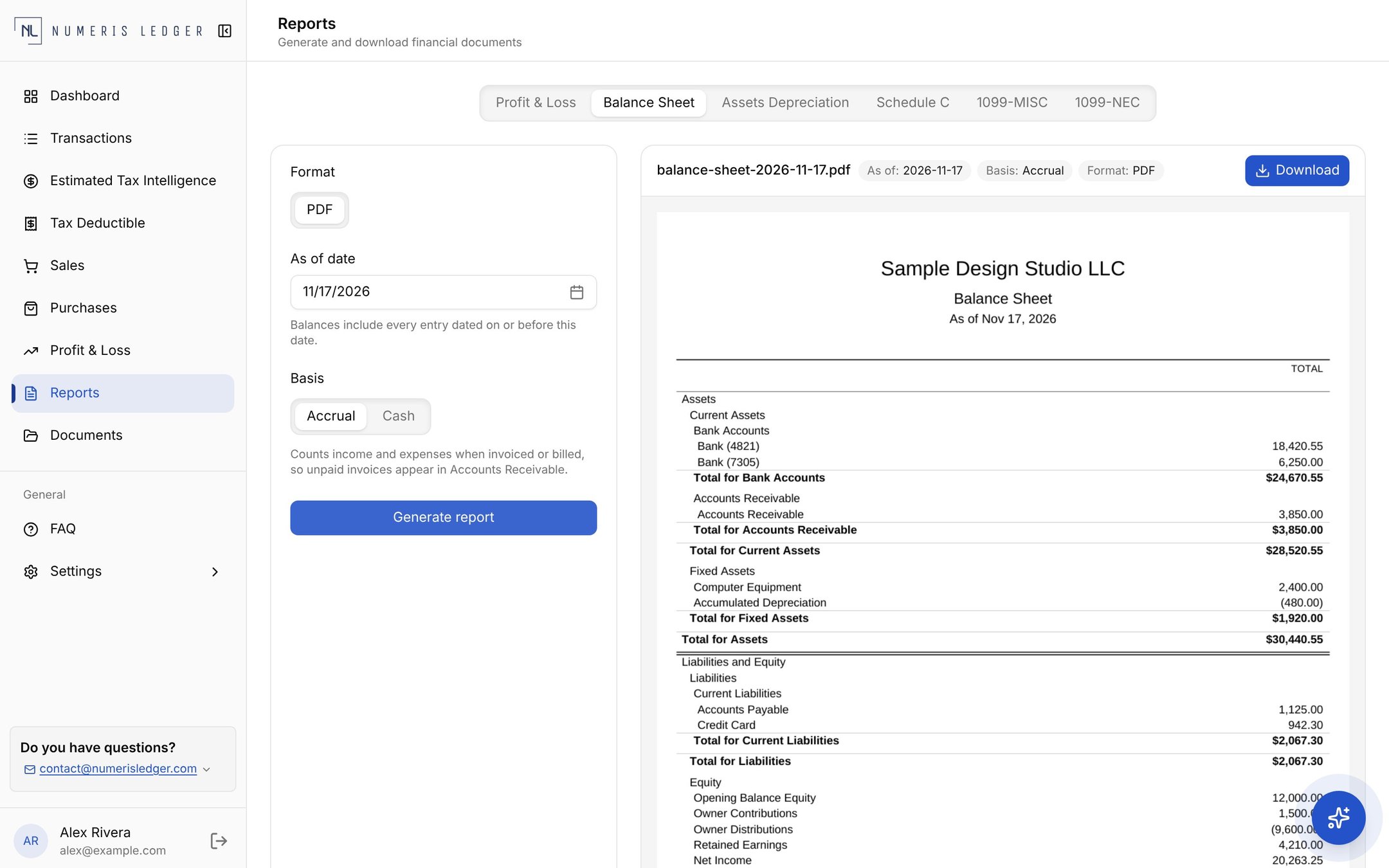
The Profit & Loss report shows how your business performed over a period. The new Balance Sheet shows where it stands on a single day: what it has, what it owes, and what's left over for you. Open Reports, choose Balance Sheet, and pick:
- As of date: balances include every entry dated on or before that day
- Accrual or Cash basis: accrual counts income and expenses when you invoice or get billed, so unpaid invoices appear in Accounts Receivable. Cash counts them only when money moves
The report groups your accounts into Assets, Liabilities, and Equity. Each linked bank account appears as "Bank" with its last four digits, so you can tell them apart. Transactions you mark as personal are recorded in Equity as Owner Contributions or Owner Distributions, so they stay out of your business income and expenses. Preview the report in the dashboard, then download it as a PDF.
AI Connections: Review Transactions from Claude or ChatGPT
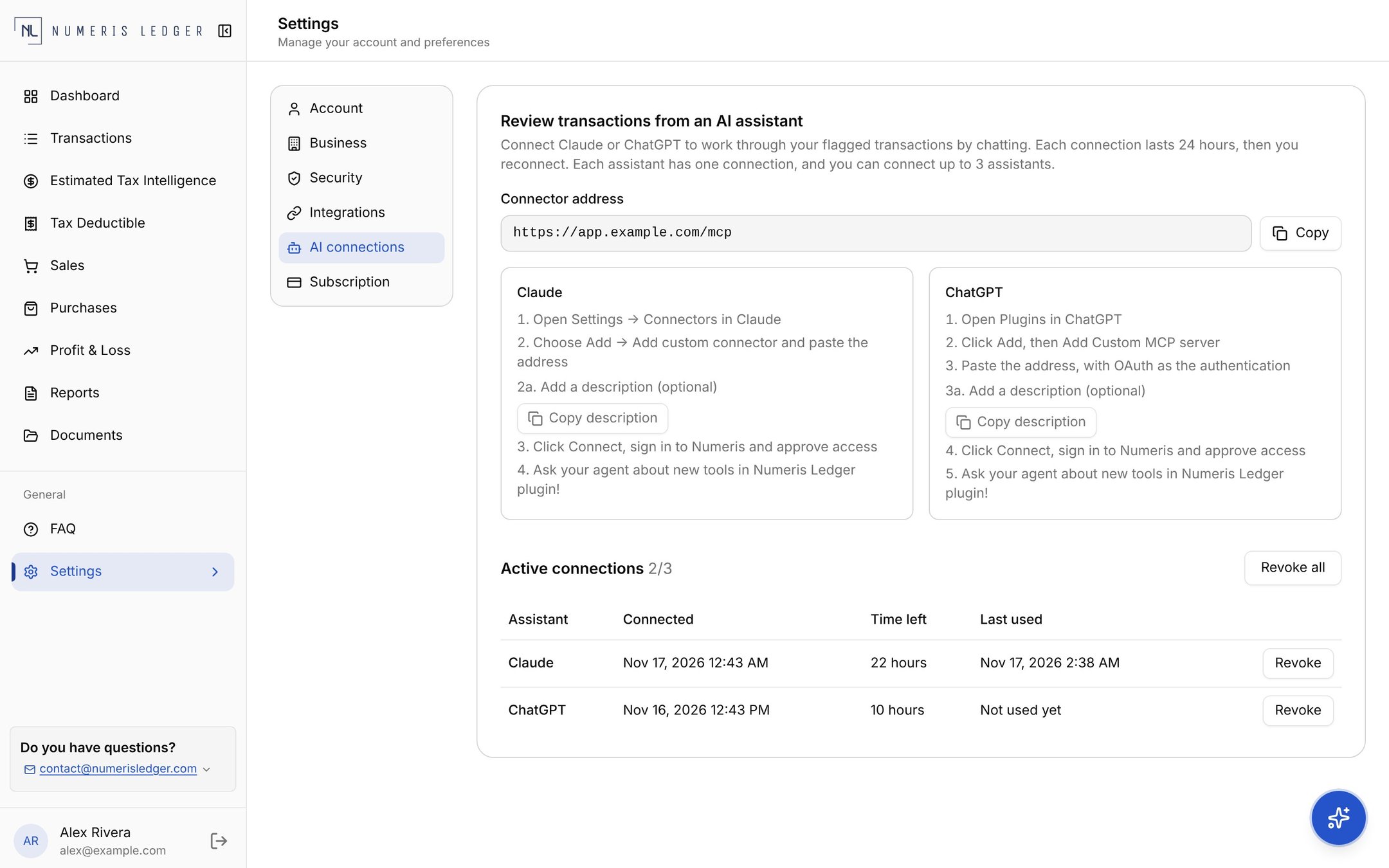
If you already use an AI assistant, you can now work through your flagged transactions by chatting with it. Go to Settings → AI connections, copy your connector address, and follow the steps shown for Claude or ChatGPT.
- You approve access: you sign in to Numeris Ledger and approve each connection yourself
- Access expires on its own: each connection lasts 24 hours, then you reconnect
- You can see every connection: connect up to three assistants, and see when each one connected, how long it has left, and when it was last used
- Revoke at any time: remove one assistant, or all of them at once, and they lose access right away
Try It Today
These features are live now. Log in to your Numeris Ledger dashboard to open Reports or Settings → AI connections. New to Numeris Ledger? Create your account and the setup assistant will walk you through the rest. Questions? Get in touch. We'd love to hear how these work for you.
Reports and estimates are prepared from the data you enter and are for general informational purposes only. They do not constitute tax or legal advice. Talk to our CPA about your specific situation.