New: Sales, Purchases, and 1099 Reports in Numeris Ledger
October 2026
We've shipped a major product update: Sales and Purchases are now complete workspaces inside Numeris Ledger, with automatic payment matching that links your bank transactions to invoices and bills, and you can generate Form 1099-NEC and 1099-MISC reports for your suppliers. Here's what's new.
Sales: Know What You're Owed
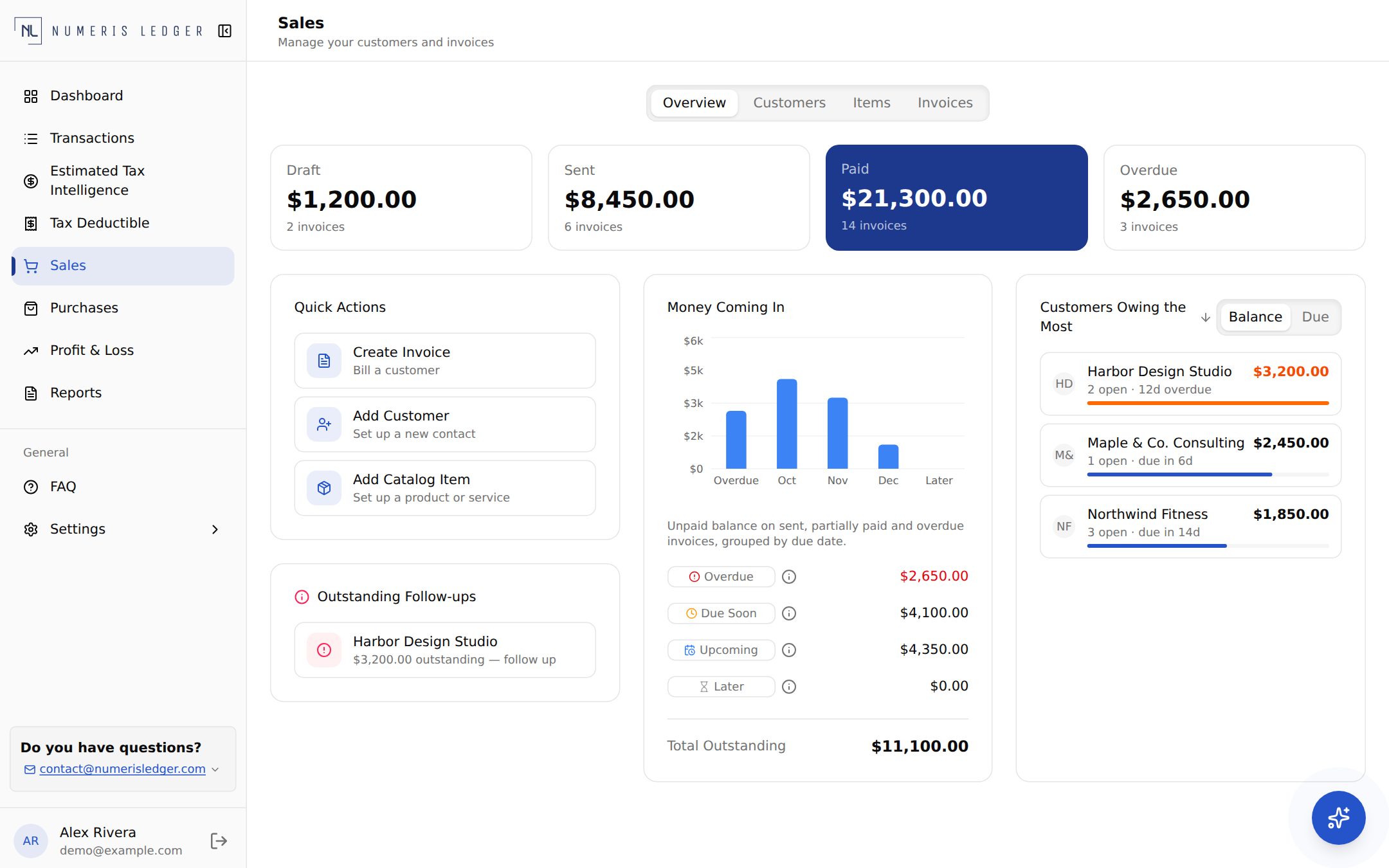
The Sales area now brings the money coming in to your business into one place:
- Overview — see money coming in and which invoices need attention at a glance
- Customers — keep your client contacts organized and manage their status
- Items — set up the products and services you sell once, then reuse them
- Invoices — create and track invoices, and see at a glance whether each one is matched to a payment
- Invoice defaults — set your preferred defaults in Business Settings so every new invoice starts the way you want
Purchases: Know What You Owe
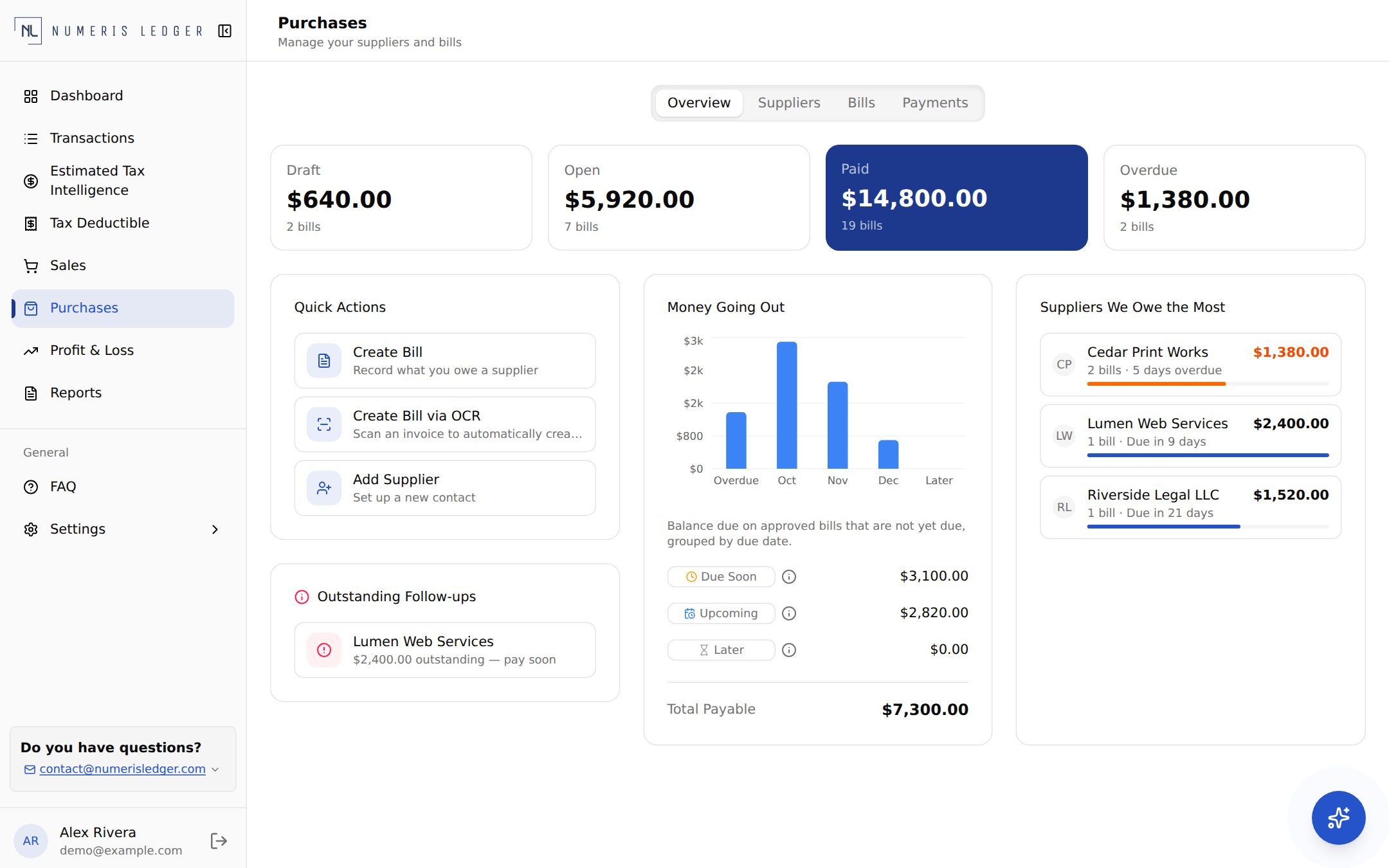
Purchases gives you the same clarity on the money going out, organized into four tabs: Overview, Suppliers, Bills, and Payments.
- Suppliers — a dedicated directory of the vendors and contractors you pay
- Bills — record what you owe a supplier, or scan an invoice and let Numeris Ledger create the bill for you. You review the scanned details and confirm the supplier before anything is saved
- Payments — record bill payments against a linked bank account, with the clearing bank transaction matched to the bill automatically
- Overview — see what's going out, which suppliers you owe, and which follow-ups are outstanding
Automatic Payment Matching
Keeping invoices and bills in sync with your bank activity is usually the most tedious part of bookkeeping. Numeris Ledger now does the matching for you, in both directions:
- Money in — when a customer payment lands in your bank account, it's matched to the right invoice, and the invoice moves toward Matched. Partial payments are tracked too, so you always see what's still due
- Money out — when you pay a supplier, the bank transaction that cleared is matched to the bill, so your bills reflect what has actually been paid
- Smart signals — matching looks at details like the amount, the invoice or bill reference, check numbers, and whether the payment date makes sense
- You stay in control — if a payment is ambiguous, such as an overpayment, a partial payment with no reference, or several invoices that could fit, it isn't guessed. It's flagged Needs Review with a plain-language explanation, and you decide. You can also match a payment yourself at any time
Matching also feeds your reports: a supplier payment counts toward a 1099 only once it has cleared your bank and been matched to a fully paid bill. The IRS counts a payment in the year it is made, so review each supplier's total against your own records before you file, including any cash or partial payments.
1099-NEC and 1099-MISC Reports
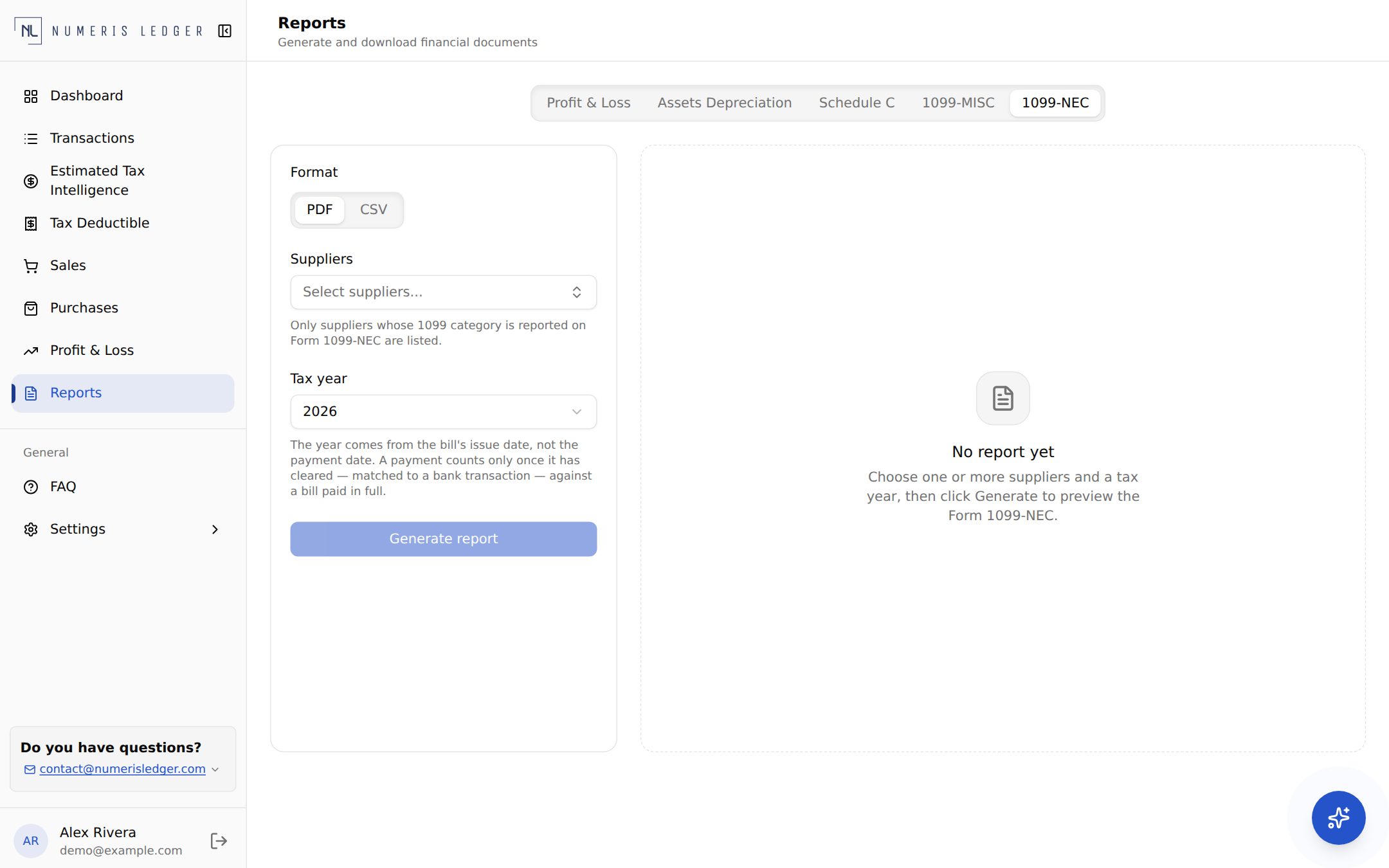
Because your suppliers now live alongside your bills and payments, Numeris Ledger can use that data to prepare your 1099s. Pick a supplier and a tax year, and generate a 1099-NEC or 1099-MISC, then file it with Numeris Ledger.
- File with Numeris Ledger — prepare your 1099 and file it with us, instead of filing on your own
- PDF — a copy for your records
- CSV — a file formatted for upload to the IRS IRIS portal, which carries the supplier's full, unmasked details, if you prefer to file it yourself
- Threshold-aware — if a supplier's payments are below the reporting threshold for the year, no report is created and you're told why. If you withheld federal tax under backup withholding rules, a 1099-NEC is required at any amount, so confirm with the IRS or our CPA
- Tax configuration — add your business tax number and address once in Business Settings; reports can't be generated until they're set
1099 reports are available on the Plus plan.
Try It Today
These features are live now. Log in to your Numeris Ledger dashboard and open Sales or Purchases to get started. Questions? Get in touch — we'd love to hear how it works for you.
Form 1099s are prepared from the data you enter. Confirm filing requirements and deadlines with the IRS or our CPA.